
Artificial intelligence (AI) is no longer a concept confined to science fiction; it is a powerful force driving unprecedented change across global industries. From revolutionizing financial systems to personalizing education and optimizing property markets, AI is being adopted by businesses to gain a competitive edge, reduce operational costs, and deliver superior user experiences. At Raindrops InfoTech, we specialize in empowering companies to leverage the true potential of AI, developing smarter, more scalable, and highly effective digital solutions tailored to their specific needs.

Let’s explore the profound impact AI is having on the sectors of finance, education, and real estate, and uncover why integrating this technology is a critical step for your business’s future.

AI in Finance: Ushering in an Era of Intelligent and Secure Decisions
AI in Finance

The finance industry, with its immense volume of sensitive data and complex transactions, is a perfect environment for AI’s capabilities. Financial organizations are increasingly turning to AI-powered systems not just for automation but for enhanced intelligence and security.

  • point-icon

    Advanced Fraud Detection: Traditional rule-based systems often fail to keep pace with sophisticated fraudulent activities. AI algorithms, however, are trained on vast datasets to recognize subtle, anomalous patterns in real-time transactions. This allows them to instantly flag and prevent fraudulent activities, offering a level of security that protects both institutions and their customers from financial loss.

  • point-icon

    Equitable and Accurate Credit Scoring: Conventional credit scoring models can be rigid, potentially excluding a large number of creditworthy individuals. AI-based systems analyze a much broader spectrum of data, including digital footprints and behavioral patterns, to create a more comprehensive and fairer risk profile. This leads to more accurate lending decisions and expands financial access to underserved populations.

  • point-icon

    Predictive Trading and Investment: In the fast-paced world of trading, every second counts. AI-driven bots can analyze massive amounts of financial data—from market trends and historical performance to news reports and social media chatter—in microseconds. This allows traders to make data-backed decisions faster than ever before, identifying lucrative opportunities and managing risk with greater precision.

  • point-icon

    Market Sentiment Analysis: Beyond hard numbers, AI can interpret the “mood” of the market. By analyzing news articles, financial reports, and social media feeds, AI-powered tools can gauge public sentiment towards a company or an asset. This sentiment analysis provides invaluable insight into potential market movements, helping investors stay ahead of the curve.

Raindrops InfoTech provides expert consultation and development services to help you build bespoke AI-powered financial platforms that enhance security, optimize decision-making, and build an unbreakable foundation of customer trust.

AI for Education: A New Frontier of Personalized Learning

AI for Education

The education sector is undergoing a profound digital transformation, and AI is the key driver behind this evolution. By moving beyond a one-size-fits-all approach, AI is enabling institutions to offer a more engaging and effective learning experience.

  • point-icon

    Truly Personalized Learning Platforms: AI can dynamically adapt to each student’s learning style, pace, and individual needs. These platforms can identify a student’s strengths and weaknesses, automatically adjust the difficulty of materials, and recommend resources that are most likely to help them succeed. This level of personalization ensures that every student gets the support they need to thrive.

  • point-icon

    Intelligent AI Tutors: Virtual tutors are available 24/7 to provide instant support, answer questions, and offer interactive exercises. Unlike static resources, these AI tutors can engage students in a conversational manner, clarifying complex concepts and making the learning process more interactive and less intimidating.

  • point-icon

    Automating Administrative Tasks: Repetitive tasks like grading assignments and providing basic feedback can be a significant time sink for educators. AI streamlines these processes, allowing teachers to focus their energy on creating engaging lessons, providing one-on-one mentorship, and fostering a collaborative classroom environment.

With expertise in EdTech startups and a focus on cutting-edge technology, Raindrops InfoTech helps institutions create AI-enabled platforms that improve engagement, efficiency, and overall academic outcomes.

AI in Real Estate: The Future of Property Investment and Customer Experience

AI in Real Estate

The real estate industry is being reshaped by AI, providing sophisticated tools that benefit investors, agents, and prospective buyers alike. AI is simplifying complex processes and creating a more transparent and customer-centric market.

  • point-icon

    Smart Property Recommendation Engines: Gone are the days of endless, irrelevant listings. AI recommendation engines use powerful algorithms to analyze a buyer’s search history, preferences, and even their lifestyle data to match them with properties they are genuinely interested in. This streamlines the search process and improves the likelihood of a successful sale.

  • point-icon

    Automated and Accurate Valuations: AI-powered Automated Valuation Models (AVMs) provide precise property valuations by analyzing real-time market data, including recent sales, neighborhood trends, and property features. This helps both buyers and sellers make confident, data-backed decisions without relying solely on traditional, often delayed, appraisals.

  • point-icon

    Seamless Customer Service with AI Chatbots: AI chatbots on real estate websites offer instant, round-the-clock support. They can answer common property queries, schedule viewings, and guide customers through the initial stages of the buying or renting process. This provides a frictionless experience and frees up human agents to focus on high-value interactions.

By integrating AI, Raindrops InfoTech ensures that real estate businesses can deliver seamless, intelligent, and exceptionally customer-friendly experiences that set them apart from the competition.

The Imperative of AI: A Final Thought

The common thread across these industries is the powerful synergy of efficiency, personalization, and data-driven insights that AI enables. Whether it’s fortifying financial security, democratizing education, or simplifying property searches, AI is not just a tool—it’s a fundamental business necessity.

At Raindrops InfoTech, we specialize in crafting custom AI solutions perfectly aligned with your business objectives. With over 17 years of extensive experience in platforms like WordPress, Laravel, and Flutter, alongside our AI integration expertise, we are equipped to help your business not only adapt but thrive in the digital era.

The message is clear: businesses that ignore the potential of AI today risk falling behind tomorrow. It’s time to fully concentrate on AI and embrace the endless possibilities it presents. Partner with Raindrops InfoTech to transform your AI vision into a tangible reality.


If you own a website or you’re planning to build one, there’s one thing you can’t afford to ignore: security.

Think about it. You’ve worked hard to build your website. Maybe it’s your business, your brand, or your blog. But in just one weak moment, an outdated plugin, a missed update, a simple password and your entire site can get hacked, shut down, or worse…stolen.

And no, website security isn’t just a “big company” problem. Hackers often target small websites because they assume security is weak.

This blog is for you, whether you’re a small business owner, startup founder, freelancer, or developer. We’re going to walk through 5 essential website security features that every site should have. Let’s keep your site safe, and your peace of mind intact.

Raindrops Infotech building a salon management app for India.

1. SSL Certificate: Encrypting Data for Safe Communication

If your website doesn’t have an SSL certificate yet, you’re taking a big risk. An SSL (Secure Sockets Layer) certificate is one of the most basic and essential website security features every site must have today. It creates a secure, encrypted connection between your website and its visitors so no third party can snoop on the information being exchanged.

Whether it’s login credentials, contact forms, or payment details—an SSL certificate for your website keeps everything private.

important metric to consider for website redesign for conversion rate optimization
discover-more-slide-shape

Why It’s Essential:

  • point-icon

    Data Protection: SSL encryption makes sure that any information shared on your website can’t be read or stolen by hackers.

  • point-icon

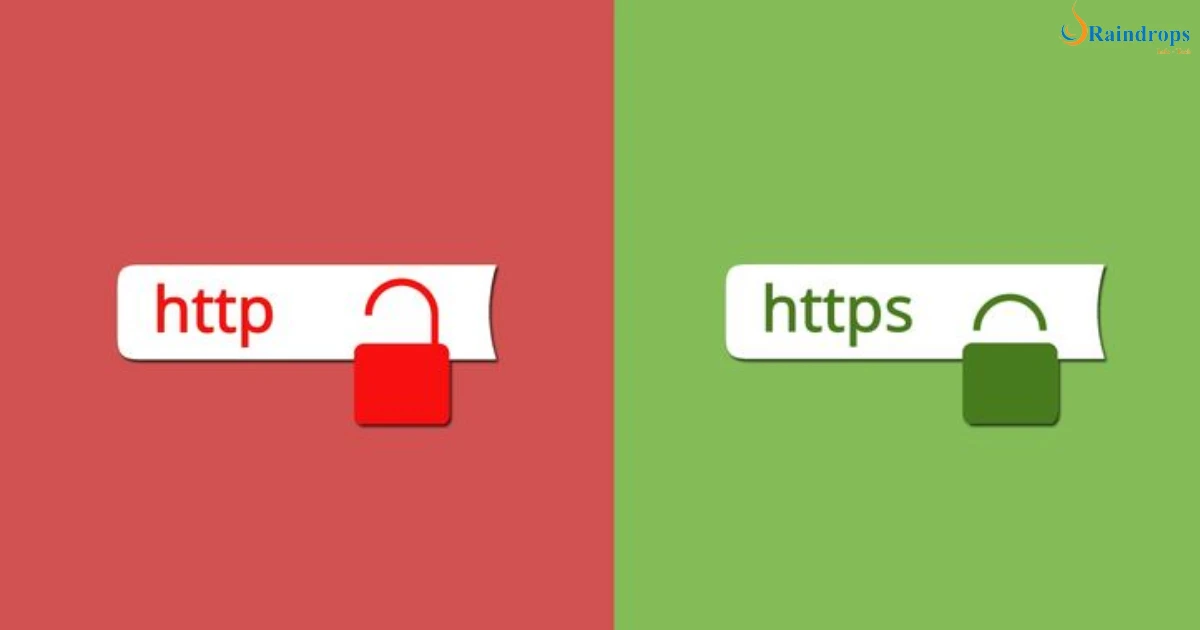
    Trust Signal: Ever seen that padlock symbol in the browser bar? That shows your site is using HTTPS and has an SSL certificate—users trust sites that have it.

  • point-icon

    SEO Advantage: Google gives ranking preference to secure sites. So if you’re wondering how to secure a website and improve SEO, this is your first step.

How to Implement:

  • point-icon

    Purchase an SSL certificate from a trusted provider like Let’s Encrypt, GoDaddy, or Comodo. Some hosting providers even offer it for free.

  • point-icon

    Install it on your server (or ask your hosting provider to do it for you—it’s usually quick).

  • point-icon

    Update your site URLs to use https:// instead of http://. Make sure all internal links and assets (like images and scripts) are updated too.

2. Strong Password Policies: The First Line of Defense

You wouldn’t leave your house door open, right? Then why leave your website’s backend vulnerable with weak passwords? A strong password policy for websites is your first line of defense against unauthorized access, brute force attacks, and bots trying to sneak into your admin dashboard.

A surprising number of websites still use passwords like “admin123” or “password@123”. These are the first things hackers try.

Best Practices to Follow:

  • point-icon

    Complexity: Use a mix of uppercase, lowercase, numbers, and special characters. For example: Gr!dS3cuR3!2025

  • point-icon

    Length: Go for at least 12–16 characters. Longer is always better.

  • point-icon

    Uniqueness: Every login should have its own password. Don’t reuse passwords from your email or other platforms.

  • point-icon

    Change Regularly: Set reminders to update passwords every 60–90 days. Yes, it’s a bit of a hassle—but it’s worth it.

discover-more-slide-shape

Bonus: Add Two-Factor Authentication (2FA)

2FA is a simple but powerful tool that adds an extra layer of security. Even if someone figures out your password, they still can’t log in without a second code—usually sent to your phone or generated by an app like Google Authenticator.

Why it matters: In today’s digital world, where cyberattacks are common, just having a strong password isn’t enough. Adding 2FA significantly reduces the chances of unauthorized access.

3. Regular Software Updates

Still running your website on an old plugin version or a theme you installed years ago? That’s like leaving your front door unlocked.

Outdated software is one of the biggest reasons websites get hacked. Whether it’s your CMS (like WordPress), plugins, themes, or even custom scripts—every outdated component can become an open invitation for attackers.

Hackers are always on the lookout for known bugs or weaknesses in older versions. Once these vulnerabilities are exposed online (and they often are), it’s only a matter of time before bots come knocking on your site.

Why It’s Important:

  • point-icon

    Security Fixes: Updates often patch known issues that could be exploited by attackers.

  • point-icon

    Speed & Performance: New versions usually come with optimizations that make your website load faster and work smoother.

  • point-icon

    Compatibility: Updated plugins/themes are more likely to work well with each other and newer browsers, avoiding website crashes.

discover-more-slide-shape

What You Can Do:

  • point-icon

    Enable auto-updates: Many CMS platforms allow automatic updates for plugins and themes—use them!

  • point-icon

    Set a weekly reminder to manually check for updates, especially if you’re using custom tools.

  • point-icon

    Delete what you don’t use: Unused plugins or themes can still become attack points—even if they’re inactive.

4.Web Application Firewall (WAF): Shielding Your Website from Bad Traffic

Imagine if you could have a bouncer standing at your website’s front door, checking every visitor before they get in. That’s exactly what a Web Application Firewall (WAF) does.

It sits between your website and the internet, watching every request and blocking anything suspicious before it can reach your site. WAF security for websites is no longer a luxury—it’s a must-have if you’re serious about protection.

Why It’s Powerful:

  • point-icon

    Real-Time Protection: It detects and blocks common threats like SQL injections, cross-site scripting (XSS), and malicious bots on the spot.

  • point-icon

    Stops DDoS Attacks: A WAF can prevent your website from being overwhelmed by fake traffic trying to crash it.

  • point-icon

    Custom Rules: You can create filters based on your site’s unique needs (e.g., block traffic from certain countries or IPs).

discover-more-slide-shape

How to Set It Up:

  • point-icon

    Choose a trusted provider like Cloudflare, Sucuri, or Astra Security.

  • point-icon

    Follow their setup guide (most just require changing your DNS settings—it’s simpler than it sounds).

  • point-icon

    Regularly check your firewall logs. They’ll show you what’s being blocked and help you adjust settings if needed.

5. Regular Backups: Your Emergency Button When Things Go Wrong

You’ve installed security plugins. Your passwords are strong. You’ve got an SSL. But here’s the truth: even the most secure websites can get hit. And when they do, having a regular backup can be the difference between disaster and recovery.

Think of backups like your website’s “undo” button. Something went wrong? Restore your latest backup, and you’re back in business.

Why It’s a Must:

  • point-icon

    Accidental Errors: Sometimes it’s not hackers—someone on your team might delete something by mistake.

  • point-icon

    Hack Recovery: If you do get hacked, a clean backup helps you restore your site without paying ransom or starting from scratch.

  • point-icon

    Peace of Mind: Knowing you have a safe copy means you can fix issues faster and with less stress.

discover-more-slide-shape

Smart Backup Strategies:

  • point-icon

    Frequency: Backup daily if your site changes often (like an eCommerce store or blog). Weekly is okay for static sites.

  • point-icon

    Storage: Never keep all your backups in one place. Use cloud storage (like Google Drive or Dropbox) AND a local copy.

  • point-icon

    Automation: Use tools like UpdraftPlus, BlogVault, or Jetpack for WordPress to automate the process.

  • point-icon

    Test Your Backups: Every few months, actually try restoring from a backup. Don’t wait until an emergency to find out it doesn’t work.

Final Thoughts: Website Security Isn’t Optional Anymore

Let’s face it, no matter how beautiful or fast your website is, if it’s not secure, it’s vulnerable.

In today’s world, cyber threats don’t knock before entering. Whether you’re running a personal blog, an online store, or a business site, these five essential website security features—SSL certificates, strong passwords, regular updates, firewalls, and backups aren’t just “nice to have.” They’re non-negotiable.

And here’s the good news, you don’t have to figure it all out alone.

At Raindrops Infotech, we help businesses like yours build websites that are not only stunning but also rock-solid secure. From setting up SSLs to configuring advanced firewalls and automated backups, we’ve got your back.

Want a secure, fast, and future-ready website? Let’s make it happen, contact us today and get your free consultation.

FAQs

Q1. What are the most important security features a website must have?

A secure website must have an SSL certificate, strong password policies, regular software updates, a web application firewall (WAF), and regular backups.

Q2. Why is an SSL certificate important for my website?

It encrypts data transferred between your site and users, keeps sensitive info private, and improves trust and SEO rankings.

Q3. How can I secure my website from hackers?

Use strong passwords, update software regularly, install a WAF, enable 2FA, and back up your data frequently.

Q4. What is a web application firewall (WAF)?

A WAF protects your website by blocking malicious traffic, DDoS attacks, and harmful scripts like SQL injection or cross-site scripting.

Q5. How often should I back up my website?

If your site changes frequently, daily backups are best. At a minimum, back up weekly and before major updates.

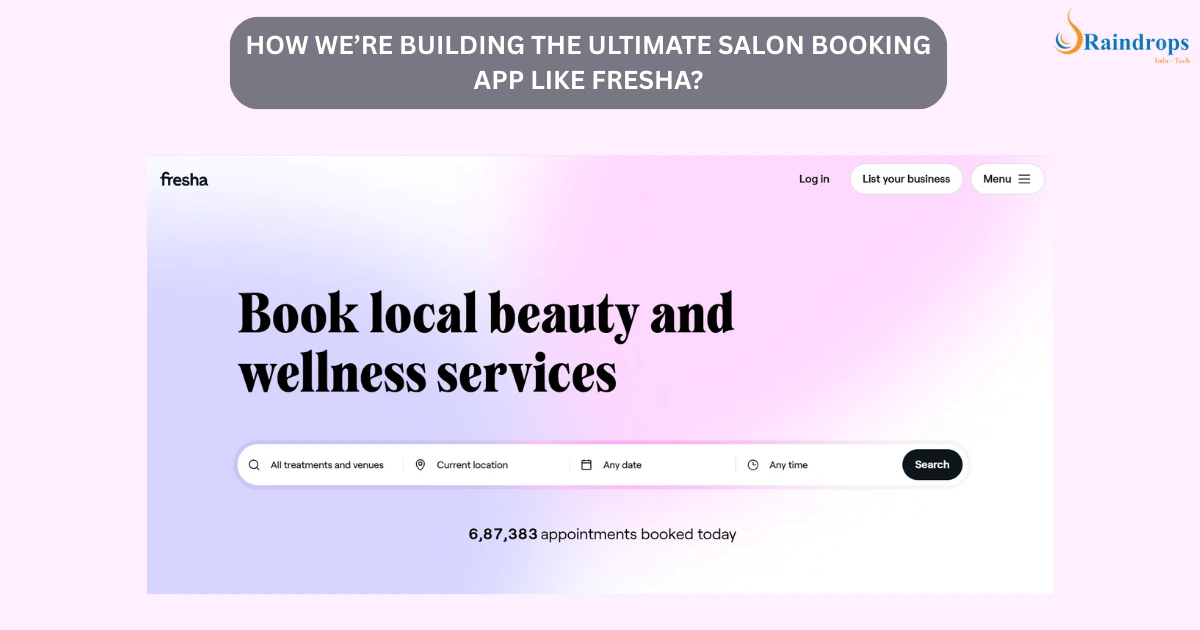
If you’ve ever tried booking a haircut, manicure, or spa session online, you might have heard of Fresha, a global leader in salon booking apps. It’s sleek, user-friendly, and loaded with features that make managing salons and wellness centers a breeze.

But here’s the catch: Fresha wasn’t designed with India’s unique salon ecosystem in mind.

India’s salons operate differently. From payment preferences to customer behavior, the local market demands a solution tailored to its realities — and that’s exactly what Raindrops Infotech is building: a salon booking app India can truly call its own.

Raindrops Infotech building a salon management app for India.

Why Does India Need Its Own Fresha Clone? — But Smarter and Local

Fresha’s platform is great for Western markets, but Indian salons face different challenges that a global app often misses:

  • point-icon

    Payment Methods : In India, UPI and mobile wallets like Paytm, Google Pay, and PhonePe rule the payments landscape. Relying solely on credit/debit cards (which Fresha focuses on) leaves many salons disconnected from their customers’ preferred payment options.

  • point-icon

    Flexible Pricing & Offers : Indian salons thrive on dynamic pricing — discounts during festivals, special combo offers, and walk-in deals that need quick manual adjustments. A rigid pricing system just won’t cut it.

  • point-icon

    Connectivity Concerns : Many salons, especially in tier 2 and 3 cities, deal with slow or inconsistent internet connections. The app must be lightweight and work reliably even on patchy networks.

  • point-icon

    Simplicity is Key : Salon owners are often juggling multiple roles. They need an intuitive salon appointment software India can easily adopt, without investing hours in training or navigating complicated dashboards.

This is where Raindrops Infotech’s online salon booking system is set to disrupt — by combining the best features of Fresha with solutions designed specifically for Indian salons.

Features That Make This The Best Salon Management App for India

To make sure the app fits the needs of Indian salons perfectly, the development team spoke directly with salon owners, stylists, and customers across the country. Here’s what they prioritized:

1. Instant Online Booking with Real-Time Slot Availability

No more phone tag or confusion. Customers can view available services, stylists, and time slots in real-time, and book instantly from their phones or desktops. This streamlined booking process reduces no-shows and maximizes salon utilization.

2.  Integration with UPI and Popular Wallets

The app supports all major Indian payment gateways, especially UPI, Paytm, Google Pay, and PhonePe. This ensures a smooth, cashless experience that Indian customers trust and prefer.

3. Easy Staff Calendar Sync and Management

Salon owners can manage multiple staff calendars, view appointments, and assign bookings effortlessly. This avoids double bookings and ensures every stylist’s time is used efficiently.

4. Automated Promotions and Customer Loyalty Programs

Festivals, birthdays, and referral discounts — all can be set up and managed through the app. It automatically tracks loyalty points and helps salons run targeted marketing campaigns without manual effort.

5. Minimal Learning Curve and Mobile-Friendly UI

The app’s design focuses on simplicity — even tech novices can get started quickly. It’s optimized for mobile devices so salon owners and staff can manage bookings on the go.

6. Offline Mode with Auto Sync

The app works seamlessly even when the internet is unstable. Data syncs automatically once connectivity returns, so salons don’t lose critical booking info.

7. Detailed Reports and Insights

Salon owners get clear reports on bookings, revenues, and customer trends, helping them make smart business decisions.

Why will India adopt this Salon Management app fast?

Salon owners in India often struggle with expensive software, clunky interfaces, or foreign apps that don’t “get” their day-to-day realities. This Raindrops Infotech app solves those pain points:

  • point-icon

    Cost-Effective : Affordable pricing tailored to small and mid-sized salons.

  • point-icon

    Tailored Features : Built with Indian payment methods, pricing styles, and business workflows in mind.

  • point-icon

    Simple Onboarding : Easy-to-use app that requires zero tech expertise.

  • point-icon

    Dedicated Local Support : The Raindrops Infotech team provides ongoing support and updates based on user feedback.

This approach makes the app perfect for small salon owners, freelance beauticians, and growing chains alike.

How This App Helps Indian Salons Boost Revenue and Build Loyalty?

Managing a salon is a juggling act. Booking software is more than just a calendar — it’s a business growth tool. Here’s how Raindrops Infotech’s app empowers salons:

  • point-icon

    Reduces No-Shows : Automated reminders via SMS and app notifications help customers remember appointments.

  • point-icon

    Increases Repeat Visits : Loyalty points, special offers, and referral programs keep customers coming back.

  • point-icon

    Saves Time : Staff schedules, bookings, and payments all handled in one place — freeing salon owners to focus on customers.

  • point-icon

    Improves Customer Experience : Easy booking and multiple payment options delight customers, encouraging positive reviews and word-of-mouth.

  • point-icon

    Online Presence : The app can integrate with Google My Business and other listings so salons are easy to find online.

The Road Ahead: Constant Improvements Based on Real Feedback

Raindrops Infotech isn’t launching and leaving salons to figure it out alone. They’ve built feedback loops so salon owners can share suggestions and issues easily.

Updates will roll out regularly, adding new features like:

  • point-icon

    SMS marketing campaigns

  • point-icon

    Inventory management

  • point-icon

    Multi-location support for salon chains

All developed with Indian users’ input to ensure maximum relevance.

Ready to Transform Your Salon with India’s Best Salon Appointment Booking App?

If you run a salon or beauty business in India and want to save time, increase revenue, and delight customers with seamless booking and payments, Raindrops Infotech’s Fresha-style app is made for you.

Forget complicated, expensive foreign software. This is your local, simple, and powerful solution, built with you in mind.

Want to be among the first to try it? Stay tuned for the launch announcement, or reach out to Raindrops Infotech to learn more.

Let’s Be Honest: Is Your Website Actually Working for You?

Have you ever looked at your website and thought, “Something feels off” —but you just couldn’t decide?

You’re not alone. Most business owners sense when their website isn’t doing its job—but they either ignore it or keep pushing it off. The truth? A poor website silently kills conversions, loses trust, and drives potential customers away.

Let’s fix that.

In this blog, we’ll break down 10 real, clear signs that scream: it’s time to redesign your website. Whether you’re running an e-commerce store, a local business, or a startup, this blog is for YOU.

signs your website need a website redesign for better conversion rate optimization

1. Your Website Looks Like It’s From 2010

Let’s be honest—if your website still looks like it was built during the Orkut era, users will bounce fast. One of the most obvious signs your website needs a redesign is an outdated look: boxy layouts, generic stock images, old-school fonts, or cluttered navigation.

In today’s world, people judge your brand in milliseconds. If your site doesn’t look modern and trustworthy, you’ve already lost them—and your chance at a sale.

A poor design directly impacts conversion rate optimization. No matter how great your product or service is, if your site feels clunky or outdated, users won’t stick around to find out.

What to do?

Time for a redesign. Focus on:

  • point-icon

    Clean, minimalist layouts

  • point-icon

    Mobile-first design

  • point-icon

    Modern typography and consistent branding

  • point-icon

    Fast load times and intuitive navigation

  • point-icon

    High-quality, relevant visuals (no cheesy stock photos!)

discover-more-slide-shape

Your design should guide users, build trust, and support conversions, not drive people away.

2. It’s Not Mobile-Friendly (And That’s a Dealbreaker)

discover-more-slide-shape

Still pinching and zooming on your site? That’s a conversion killer.

Today, over 60% of web traffic comes from mobile devices and that number’s only growing. If your website isn’t responsive, you’re alienating the majority of your audience. This isn’t just a bad user experience, it’s one of the clearest signs your website needs a redesign.

Google now uses mobile-first indexing, meaning your mobile experience affects your search rankings more than your desktop version. If your site looks broken or hard to navigate on a phone, both your traffic and trust are taking a hit.

A truly mobile-friendly design doesn’t just shrink to fit—it adapts intelligently to different screen sizes, rearranges content for better readability, and ensures your buttons, menus, and CTAs are easy to tap on any device.

Test It Now : Use Mobile-Friendly Test. If your site fails, it’s time to prioritize a mobile-first website redesign because in 2025, not being mobile-ready = being invisible.

3. Slow Load Times = Lost Business

You could have the most beautiful website in the world—but if it loads slowly, none of it matters.

Users expect pages to load in under 3 seconds, and Google confirms that bounce rates soar with every second of delay. If your site’s slow, people will leave before they even see your offer. Worse? It’s hurting your SEO. Page speed is now a direct ranking factor.

Slow load times destroy your conversion rate optimization efforts. Visitors don’t wait—they bounce.

Common culprits:

  • point-icon

    Bloated, outdated code

  • point-icon

    Oversized or uncompressed images

  • point-icon

    Excessive third-party plugins and scripts

  • point-icon

    Cheap hosting

important metric to consider for website redesign for conversion rate optimization

Run diagnostics: Tools like Google PageSpeed Insights and GTMetrix reveal what’s slowing you down.

Speed = trust. Speed = sales.

If your website crawls, your business stalls.

discover-more-slide-shape

4. High Bounce Rate, Low Conversion Rate? That’s a Red Flag

discover-more-slide-shape

Traffic is great, but if no one’s staying or converting, what’s the point?

A high bounce rate and low conversion rate are loud signals that your website isn’t doing its job. Visitors are landing but leaving immediately, often due to:

  • point-icon

    Confusing navigation

  • point-icon

    Unclear or weak messaging

  • point-icon

    Poor visual hierarchy

  • point-icon

    Annoying popups

  • point-icon

    Slow speed or bad mobile experience

All of these kill trust and trust is step one in conversion rate optimization.

The goal isn’t just to look pretty. Your site should guide visitors toward action—whether that’s filling out a form, booking a call, downloading a resource, or making a purchase. If that’s not happening, your layout, CTAs, or content flow likely need an overhaul.

Check your analytics : Look at bounce rate, average time on page, scroll depth, and conversion paths. If users aren’t engaging, it’s one of the top signs your website needs a redesign.

A user-focused website redesign allows you to rework the entire experience—clarifying your messaging, simplifying the journey, and optimizing every element to drive action.

Conversions don’t happen by accident. They’re designed.

5. Poor Navigation = Frustrated Users

discover-more-slide-shape

If users can’t find what they’re looking for in a few seconds, they’re gone.

A messy navigation structure, overcrowded menus, or buried pages can instantly tank your user experience. And when users are confused, they don’t convert, they bounce. That’s bad news for your conversion rate optimization efforts.

Your site should feel effortless to explore. Visitors shouldn’t have to dig through dropdowns or scroll endlessly to find key pages like your pricing, contact form, or service offerings. If they do? That’s a major sign your website needs a redesign.

Ask yourself:

  • point-icon

    Can a first-time visitor find what they need in 3 clicks or less?

  • point-icon

    Are your most important pages clearly labeled and accessible from the main menu?

  • point-icon

    Do you have a logical site hierarchy and consistent internal links?

What to aim for:
  • point-icon

    Clear, uncluttered menus

  • point-icon

    Logical page structure (use breadcrumbs, categories, and hubs)

  • point-icon

    Consistent internal linking to keep users engaged

  • point-icon

    Prominent CTAs on every high-traffic page

A smart website redesign can clean up your entire navigation system—transforming confusion into clarity and turning visitors into conversions.

Simple navigation isn’t just a design choice, it’s a business strategy.

So… When Should You Redesign Your Website?

If you nodded at even 2-3 of the points above, it’s already time. A dated website doesn’t just look bad, it costs you trust, traffic, and revenue.

Don’t wait. Every delay means lost opportunities.

Here’s What You Can Do Right Now

If you’re reading this, it’s probably because your website isn’t doing what you hoped it would.

We get it and we’re here to help.

At Raindrops Infotech, we design modern, high-performing websites that:

  • point-icon

    Look great on every device

  • point-icon

    Load fast and convert better

  • point-icon

    Align with your brand

  • point-icon

    Are optimized for Google and users alike

Schedule a free consultation with us and we’ll tell you exactly what’s working, what’s not, and how we can help fix it.

You know those pop-ups that appear the moment you visit a website, asking if you accept cookies? Sometimes, they can be annoying or confusing. But behind these small banners is something important: your privacy and legal responsibility for website owners.

If you run a website or plan to build one, especially in India, understanding cookie consent is essential. Not only does it protect your visitors’ data, but it also keeps your website safe from potential fines and builds trust with users.

In this blog, I’ll answer the most common questions about cookie consent: what it is, why it matters, how to implement it, and what you need to know to stay compliant and keep your visitors happy. Let’s go!

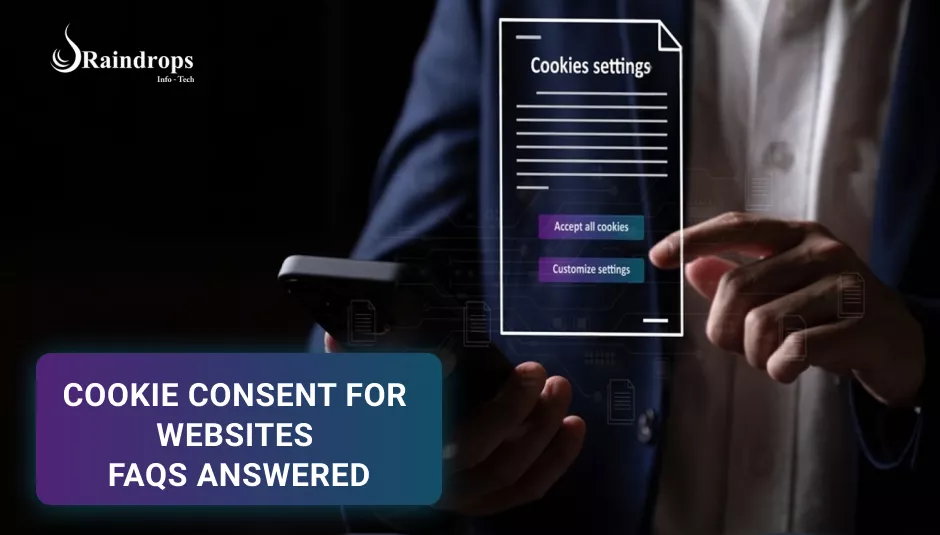
Cookie Consent Banner shown in a website

1. What is cookie consent, and why does my website need it?

discover-more-slide-shape

Cookie consent means asking your website visitors for permission before placing cookies on their devices. Cookies are tiny files websites use to remember your actions, preferences, and sometimes track you for advertising.

Why do you need consent? Because privacy laws like the European GDPR, and India’s evolving data privacy rules, require transparency about what data you collect and how you use it. Without consent, you risk legal trouble and losing visitors’ trust.

Think of cookie consent as a polite “May I?” before entering someone’s personal space. When your visitors know you respect their privacy, they’re more likely to stay longer and feel safe on your site.

2. What are website cookies, and how do they work?

discover-more-slide-shape

Cookies are simple text files saved on your device by websites you visit. They act like little notes that remember things:

  • point-icon

    Keeping you logged in on a website

  • point-icon

    Saving your language or theme preferences

  • point-icon

    Remembering items you add to an online shopping cart

Without cookies, you’d have to enter your details again every time you visit.

But cookies can also collect data about your browsing habits — which pages you visit, how long you stay, what ads you click. This helps businesses show you relevant ads but also raises privacy concerns.

That’s why websites must be transparent and ask if you’re okay with this tracking.

3. Do Indian websites legally require cookie consent?

In India, while there is no specific cookie law, the Digital Personal Data Protection Act (DPDPA), 2023, requires explicit user consent before collecting personal data, which includes data collected through cookies. This means websites must use cookie pop-ups to inform users about cookie usage and obtain consent before setting non-essential cookies. The consent must be free, specific, informed, unconditional, and unambiguous, typically obtained through an opt-in mechanism

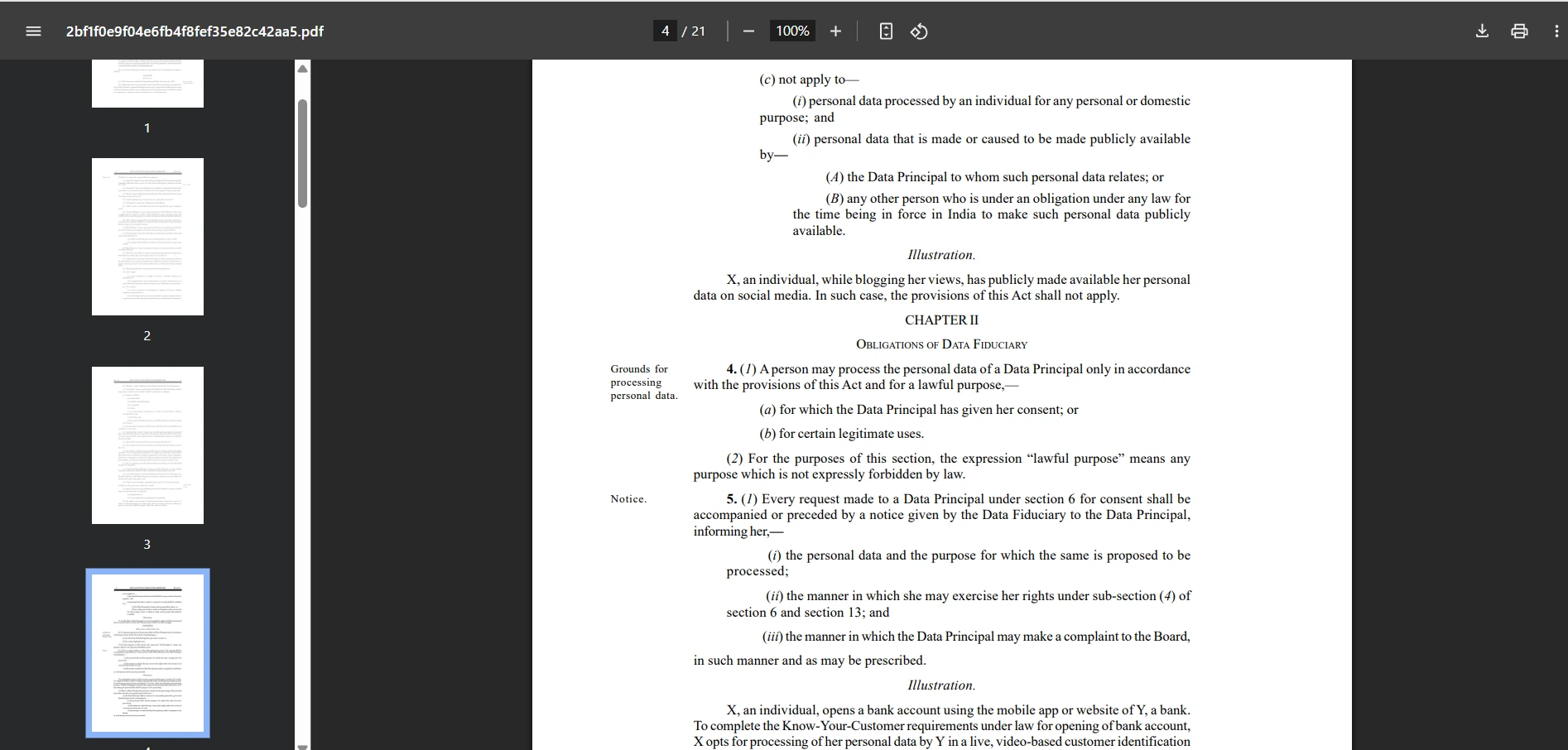
PDF of  Digital Personal Data Protection Act (DPDPA), 2023.
discover-more-slide-shape

4. What types of cookies need consent on a website?

discover-more-slide-shape

Cookies come in different categories:

  • point-icon

    Essential cookies: These are needed to make the website work properly, like keeping users logged in or remembering cart items. Consent usually isn’t required here because the site won’t function without them.

  • point-icon

    Performance cookies: These collect anonymous information to help website owners understand how visitors use the site and improve it. While they don’t track personal info, it’s good to inform users and get consent.

  • point-icon

    Marketing or tracking cookies: These track user behavior to show personalized ads or analyze visitor trends across websites. These definitely need explicit user consent because they deal with personal data.

Knowing which cookies your site uses is the first step toward compliance.

5. How does a cookie consent banner work?

discover-more-slide-shape

A cookie consent banner is a small pop-up or bar that appears when a user visits your website for the first time. It explains what cookies you use and asks the visitor to accept or reject certain types of cookies.

Users can often choose to:

  • point-icon

    Accept all cookies

  • point-icon

    Reject non-essential cookies

  • point-icon

    Customize preferences by selecting which types of cookies to allow.

The website then respects the user’s choice and only activates cookies accordingly. A well-designed cookie banner is easy to understand, non-intrusive, and mobile-friendly.

6. What information should be in a cookie consent notice?

discover-more-slide-shape

Your cookie consent notice must be clear and transparent. It should include:

  • point-icon

    A simple explanation of what cookies are and how your site uses them,

  • point-icon

    The purposes of the cookies (for example: analytics, advertising, or essential site functions),

  • point-icon

    Options for users to accept all, reject all, or customize preferences,

  • point-icon

    A direct link to your full Privacy Policy and Cookie Policy pages for more details,

  • point-icon

    An option for users to change their cookie preferences anytime later.

Transparency helps users feel in control, improving trust and user experience.

7. How do I implement cookie consent on my website?

discover-more-slide-shape

There are many ways to add cookie consent:

    Use free or paid cookie consent tools like Cookiebot, CookieYes, or Osano that provide customizable banners and compliance tracking.

    If your website runs on platforms like WordPress or Shopify, install cookie consent plugins available in their marketplaces.

    For custom-built websites, developers can integrate scripts or APIs that manage cookie consent.

Make sure your consent solution is visible on all devices and browsers and doesn’t interfere with the user experience.

8. Can I make cookie consent mandatory before users browse my site?

discover-more-slide-shape

You can block all non-essential cookies until the user consents (called a “cookie wall”), but it’s not always recommended.

Cookie walls can frustrate users, causing them to leave your site or harm your SEO ranking since search engines might see the site as inaccessible.

A balanced approach is better: Inform users clearly, allow them to choose, but don’t block basic access.

9. How does cookie consent affect my website’s SEO?

discover-more-slide-shape

Search engines like Google value user privacy and penalize sites that don’t comply with regulations like GDPR.

Implementing cookie consent properly shows you respect users and follow best practices, which can improve your site’s ranking.

However, overly aggressive cookie banners or walls can annoy visitors, increase bounce rates, and indirectly hurt SEO.

Aim for clear, user-friendly consent that respects privacy but keeps visitors engaged.

10. Where can I learn more or get help with cookie consent compliance?

discover-more-slide-shape

To stay updated and compliant, you can:

If you want hassle-free, expert help setting up cookie consent on your website, offers tailored solutions designed for Indian businesses and startups. Contact us today to ensure your website is safe, compliant, and user-friendly.

In 2025, your customers are booking everything online, from doctor appointments to personal trainers.

So why is your salon still relying on walk-ins, WhatsApp messages, and missed calls?

Here’s the hard truth: salons that don’t digitize are already losing business. Not tomorrow, today.

And in a post-pandemic, app-first India, the gap between offline and online salons isn’t just growing, it’s turning into a survival issue.

Let’s talk about why staying offline is quietly damaging your salon’s growth, and what you can do about it before it’s too late.

Why India needs a salon booking app like Fresha?

The Real Problem: Why Staying Offline Is Costing You More Than You Think?

You may think your salon is “doing fine” without technology. But here’s what’s happening behind the scenes:

1. Missed Calls = Missed Revenue

discover-more-slide-shape

Let’s start with the most obvious leak: the telephone.

How many times have you been too busy to pick up a customer call? How often has your staff said, “Sir, we’ll call back,” and never did?

Every unanswered call is a lost booking, plain and simple. And in a world where customers want instant confirmations, they don’t wait. They just book the next available salon on Google or a salon booking app in India.

Customers are no longer loyal to salons that make them wait. They’re loyal to convenience.

You’re not just losing ₹500 or ₹1,000 per missed call, you’re losing a potential repeat customer for life.

2. Overbooked or Underutilized Staff = Daily Chaos

discover-more-slide-shape

When you’re running a salon without a proper salon management software, here’s what happens:

  • point-icon

    Stylists get double-booked during peak hours

  • point-icon

    Others stand around idle in the afternoon

  • point-icon

    Walk-ins get turned away even when seats are available

  • point-icon

    Appointments clash, leading to angry customers

This kind of inefficiency creates internal frustration and kills productivity. Your team isn’t working at full potential, and your customers don’t get the experience they deserve.

A proper online salon appointment system syncs all bookings in real-time, shows slot availability clearly, and helps you balance workloads smartly.

More balance = More bookings = More revenue.

3. No Customer Data = No Retention Strategy

discover-more-slide-shape

One-time customers don’t grow your salon. Loyal, returning customers do. But how can you build loyalty if you don’t know:

  • point-icon

    Who are your top 20 highest spenders?

  • point-icon

    When was the last time they visited?

  • point-icon

    What services do they usually book?

  • point-icon

    Who referred to them?

  • point-icon

    Their birthday or anniversary dates?

Without this kind of customer insight, your salon marketing is just guesswork.

On the other hand, modern digital tools for beauty salons track every visit, service, and payment, giving you powerful insights.

You can:

  • point-icon

    Send automated “We miss you” texts after 30 days of no visits

  • point-icon

    Offer loyalty points to frequent visitors

  • point-icon

    Run a “Get 20% off on your birthday month” campaign

All on autopilot — no spreadsheet or manual logs needed.

4. No Online Visibility = No New Footfall

discover-more-slide-shape

The old method of relying on word-of-mouth or a local banner ad isn’t enough anymore.

Today’s customers open Google Maps, type “salon near me,” and pick the one with:

  • point-icon

    High reviews

  • point-icon

    Clear pricing

  • point-icon

    Online booking available

  • point-icon

    Photos of real work

  • point-icon

    Instant availability

If you’re not listed or discoverable on search, social platforms, or salon apps — you simply don’t exist to them.

This is exactly why salons should go online in 2025. Even a basic salon booking app India presence makes your salon more discoverable, more bookable, and more trustworthy.

And let’s be honest, if your competitor two lanes down shows up on Google with “book now” enabled, who do you think the customer will pick?

The Digital Shift in India’s Beauty Industry (That You Can’t Ignore)

The Indian beauty and wellness industry is undergoing a transformation and it’s not slowing down.

Driven by urbanization, changing consumer behavior, and digital-first expectations, 2025 is the year Indian salons must adapt or get left behind.

Let’s break down what’s really happening.

Urban Customers Expect Instant, App-Based Convenience

People are booking facials, haircuts, and spa services the same way they book food, cabs, or doctor visits through apps and online platforms.

Here’s what today’s urban salon-goer expects:

  • point-icon

    Real-time availability — no guesswork

  • point-icon

    One-tap appointment booking

  • point-icon

    Online payments via UPI, wallets, cards

  • point-icon

    Booking confirmations and auto-reminders

  • point-icon

    The ability to cancel or reschedule without making a call

If your salon can’t offer that experience, you’re not even in their consideration set. The days of “Call us to book” are over.

Millennials & Gen Z Don’t Want to Call You

The younger generation, your highest-value, most frequent-spending customer base — hates calling for appointments.

To them, it’s slow, awkward, and outdated. They expect:

  • point-icon

    Instant access to schedules

  • point-icon

    Choice of stylist or service package

  • point-icon

    Contactless payments

  • point-icon

    A seamless, no-hassle booking flow

And they’re willing to pay more for the convenience. If you’re not on a salon booking app in India, you’re not where your customers are looking.

Post-COVID Habits Are Permanent Now

COVID changed how Indians engage with personal services — for good.

Even in 2025, many customers:

  • point-icon

    Prefer advance bookings over walk-ins

  • point-icon

    Expect digital payment options

  • point-icon

    Look for clear time slots and confirmation

  • point-icon

    Avoid crowded waiting rooms

  • point-icon

    Trust businesses with structure and hygiene systems

These habits aren’t going away, they’ve become the new baseline. If your salon isn’t structured around these expectations, customers will choose one that is.

What Indian Salon Owners Actually Need? (Not Fancy Software)

Let’s get real, most Indian salons don’t need a complicated ERP or expensive global SaaS solution.

You don’t have time to figure out complex dashboards or pay for features you’ll never use.

You need simple, powerful digital tools, built for Indian realities.

Here’s what that looks like:

Real-Time Online Booking

Customers should be able to:

  • point-icon

    See available time slots

  • point-icon

    Choose their preferred stylist or service

  • point-icon

    Book instantly — even at midnight

  • point-icon

    Get an automatic confirmation

No phone calls. No confusion. No missed opportunities.

Built-In Promotions That Attract Footfall

You don’t need a digital marketing agency. You just need easy-to-run, in-app offers like:

  • point-icon

    “Book 3 services, get 1 free”

  • point-icon

    “15% off on Tuesdays and Wednesdays”

  • point-icon

    “Refer a friend, both get ₹100 off”

  • point-icon

    “Flat ₹200 off for first-time bookings”

Smart promotions like these drive repeat visits and boost your off-peak revenue.

A Dashboard So Simple, Anyone Can Use It

No jargon. No training videos. No tech headaches. Just a clean, mobile-friendly dashboard where you can:

  • point-icon

    See today’s bookings

  • point-icon

    Track payments

  • point-icon

    Manage staff availability

  • point-icon

    Run promotions

  • point-icon

    View basic reports

Whether you’re in the salon or on the go — it works from your phone.

The Solution: A Fresha-Style Salon App, Built for Indian Businesses

You may have heard of Fresha, the global salon and spa booking platform. It’s popular in the West and offers great features.

But there’s a catch: Fresha wasn’t built for India.

  • point-icon

    It doesn’t support UPI

  • point-icon

    It assumes Western pricing models

  • point-icon

    It misses the nuances of Indian business needs

That’s why we’re building a Fresha-style salon booking app, tailored for Indian salons. This app offers:

  • point-icon

    Real-time online booking

  • point-icon

    UPI, wallet, and card payments

  • point-icon

    Staff calendar sync

  • point-icon

    Auto-reminders for customers

  • point-icon

    In-app offers & loyalty tools

  • point-icon

    Membership management

  • point-icon

    A simple mobile dashboard

  • point-icon

    Your own branded mini-app (if you want it)

It’s not just another salon management software, it’s a practical, local-first solution for Indian beauty businesses.

No bloated features.No expensive subscriptions. Just the tools you need to grow, simplified.

The Risk of Staying Offline in 2025

Still think you can wait it out?

Here’s what’s at stake if you stay offline:

1. Your Competitors Are Already Online

Even local salons in tier-2 and tier-3 cities are using digital systems. They’re showing up on Google, accepting online bookings, and growing their loyal base.

While you’re stuck with pen and paper, they’re scaling faster — without needing more staff.

2. Customers Search Online — Not Ask Around

Today’s customers don’t rely on friends for salon recommendations. They go online, read reviews, check availability, and book — all within minutes.

If you’re not listed or bookable online, you’re invisible.

3. You’re Losing Younger, Higher-Spending Clients

Millennials and Gen Z don’t mind paying ₹1000+ for services. But they won’t wait on hold, message on WhatsApp, or ask, “Aaj kaun free hai?”

If you’re not digitally available, you’re not even in their decision-making funnel.

Don’t Wait for Footfall to Fall!

Digitizing your salon is no longer a luxury. It’s the difference between growing and getting forgotten.

If you want to:

  • point-icon

    Get discovered online

  • point-icon

    Increase bookings automatically

  • point-icon

    Keep customers coming back

  • point-icon

    Offer modern experiences

  • point-icon

    And manage everything without stress…

It’s time to take action.

RainDrops Infotech is building the exact tool you need — a powerful, easy-to-use salon app made for India. No tech background required.

Let’s get your salon future-ready — before your competitors do.

In the age of instant services and online convenience, why should the beauty and wellness industry stay behind?

That’s the exact thought that sparked the creation of our new salon-based app, an end-to-end salon booking app built not just for scheduling, but for growing a salon business online. Think of it as a Fresha clone app, but better suited for Indian businesses with local pricing, payments, and scalability in mind.

Built using Flutter for cross-platform accessibility and Laravel for backend strength, this app is designed to be the digital heartbeat of modern salons. Whether you’re a spa owner in Delhi or running a nail studio in Ahmedabad, this app empowers you to digitize your entire customer journey, from booking to billing and beyond.

Let’s take you behind the scenes of this salon booking app development journey.

Raindrops Infotech developing a salon booking app like fresha.

What Is This App All About?

This is more than a basic appointment booking tool. It’s a beauty salon management platform that connects:

  • point-icon

    Salon owners — who can list services, manage staff, and grow their brand.

  • point-icon

    Customers — who can discover, book, and review salons.

  • point-icon

    Admin — who keeps the platform organized, fair, and scalable.

Whether it’s a hair salon, nail studio, spa, massage center, or waxing lounge, this app supports complete digital transformation: all on a smartphone.

The 3 Key User Roles: Built for All Stakeholders

1. Salon Owners (Business Users)

discover-more-slide-shape

Salon owners get a powerful dashboard to manage everything:

  • point-icon

    Register salon name, address (with Google Maps integration), and upload images.

  • point-icon

    Add service categories (hair, skincare, massage, etc.) with detailed pricing.

  • point-icon

    Onboard staff (stylists, therapists, nail artists) and assign them to time slots.

  • point-icon

    Manage appointments with a calendar view of the week/month.

  • point-icon

    Apply to sell products in future marketplace updates.

  • point-icon

    Participate in membership offers, gift cards, and seasonal promotions.

With this, small local salons can compete with bigger chains, digitally.

2. Customers (App Users)

discover-more-slide-shape

The customer app is designed to be simple, beautiful, and fast, whether you’re a tech-savvy Gen Z user or someone booking a salon visit for the first time.

Key features include:

  • point-icon

    Sign up, set your location, and discover salons nearby.

  • point-icon

    Filter by service (facials, massages, waxing, haircuts).

  • point-icon

    View ratings, staff profiles, and live availability.

  • point-icon

    Book appointments with specific team members (or choose “any available”).

  • point-icon

    Apply discount coupons, buy gift cards, and use loyalty memberships.

  • point-icon

    In the future: browse and shop salon-recommended beauty products.

This salon discovery meets convenience, no phone calls or guesswork required.

3. Admin Panel (Web Backend)

discover-more-slide-shape

The admin backend is where the platform is managed centrally. Features include:

  • point-icon

    Create/edit/delete categories like Hair, Nails, Spa, etc.

  • point-icon

    Approve or reject new salon registrations.

  • point-icon

    Monitor appointment activity, feedback, and reviews.

  • point-icon

    Enable/disable access to advanced features like product selling or membership offers.

  • point-icon

    Run analytics on bookings, customer behavior, and app performance.

Admins ensure that only genuine, quality salons stay live on the platform.

Memberships & Promotions: Real Value for Salons and Users

One of the most powerful differentiators in our Fresha-like app is the membership engine.

Here’s how it works:

  • point-icon

    Admin creates limited-time offers — like “₹3000 worth services at ₹2499.”

  • point-icon

    Salon owners can apply to offer this plan to their users.

  • point-icon

    Once approved, it shows up on their profile.

  • point-icon

    Customers see the value, purchase, and get recurring services at a discount.

But that’s not all. Salons can also:

  • point-icon

    Sell gift cards (perfect for birthdays, anniversaries).

  • point-icon

    Launch coupons to attract first-time users.

  • point-icon

    Run geo-based promotions (like 20% off if you’re within 2km).

This creates a win-win-win situation for salons, customers, and the platform.

Development Phases: Step by Step Execution

We didn’t build this app all at once. We broke the development process into clear, goal-oriented stages:

Phase 1: Salon Owner App

  • point-icon

    Business onboarding

  • point-icon

    Service and pricing management

  • point-icon

    Team member assignments

  • point-icon

    Map-based location setup

  • point-icon

    Admin category control

Phase 2: Customer App

  • point-icon

    Search and filter salons

  • point-icon

    Profile viewing, reviews, and ratings

  • point-icon

    Appointment booking

  • point-icon

    Promo code and gift card redemption

Phase 3: Product Marketplace (Coming Soon!)

  • point-icon

    Owners list salon-specific beauty products.

  • point-icon

    Users can shop inside the app.

  • point-icon

    Multiple payment modes: UPI, cards, cash-on-delivery.

  • point-icon

    Order tracking, inventory, and tax management via the salon dashboard.

Booking Logic & Calendar Integration

Here’s where things get smart and tricky.

  • point-icon

    Real-time calendar syncing for each team member.

  • point-icon

    Customers can see available slots and book instantly.

  • point-icon

    Staff get notified via app and email.

  • point-icon

    Avoids overbooking and human errors.

We’ve added buffers between appointments, cancellation windows, and rescheduling options, all aimed at minimizing no-shows and maximizing revenue for salons.

Real Challenges We Faced (And Solved)

Developing a robust salon appointment booking app sounds exciting — but it comes with real challenges:

  • point-icon

    Real-time slot management : Avoiding overlaps, ensuring team availability, and syncing calendars was complicated.

  • point-icon

    Scalability : We wanted to support not just 5 salons, but 500+ — so architecture had to be strong.

  • point-icon

    Non-tech-savvy users : We kept the UI ultra-intuitive for both salon owners and users.

  • point-icon

    Multi-role coordination : Separate logic for customers, staff, owners, and admin — all synced in real time.

  • point-icon

    Future features : From product listings to cashbacks and customer loyalty dashboards, we had to plan for upgrades.

Despite these hurdles, we’re proud to say the foundation is rock solid.

Final Thoughts: The Future of Beauty Service Booking Is Here

Our mission is simple yet bold: “To build the most intelligent and empowering digital platform for the Indian beauty and wellness industry.”

This Fresha-like salon booking app blends:

  • point-icon

    Customer convenience

  • point-icon

    Business growth tools

  • point-icon

    Staff-level control

  • point-icon

    Promotions and product sales

  • point-icon

    Smart, scalable technology

We’re still evolving but the progress is solid, the interest is growing, and the value is already visible.

If you’re a salon owner looking to take your business digital in 2025, this is your chance.

Let Raindrops Infotech help you build your custom salon app, fully tailored, feature-rich, and ready to scale.

Get in touch with our team today to explore your app idea, request a demo, or start development.


Ever landed on a website and clicked away within seconds? Maybe it was too slow, confusing, or just didn’t “feel right.” That’s exactly what this article is about.

If you’re running a business or managing a website, one thing you can’t afford to ignore is your website design. Why? Because it directly impacts your user experience (UX) and your conversion rates: the two things that can either grow your business or hold it back.

So let’s break this down in simple, real terms.

How website design impacts user experience and boosts conversion rates with visual funnel and analytics icons.

What Is Website Design and Why Does It Matters?

Let’s clear one thing up, website design is not just about making your website “look good.” Sure, looks matter, but that’s just the surface.

Real website design is about how your website works. It’s the structure. It’s the speed. It’s how easily someone can find what they’re looking for.

Think of your website like a shop.If it’s messy, slow, or confusing, people will walk out: fast. But if it’s neat, fast, and easy to explore, they’ll stay longer… and probably buy something.

That’s the impact of web design on conversion rates, it can literally decide whether you make money or lose visitors.

A well-designed website:

  • point-icon

    Loads quickly (because no one likes waiting)

  • point-icon

    Works smoothly on both phone and desktop

  • point-icon

    Has clear menus and buttons

  • point-icon

    Shows people exactly what they need, without making them hunt for it

In short:

Good website design = A great first impression
Bad website design = Missed chances, lost trust, and high bounce rates

And here’s where the real magic happens. When your website design improves, user experience improves too. And that brings us to…

What Is User Experience (UX)?

User experience (UX) is all about what someone feels when they use your site. Is it easy? Is it smooth? Or does it make them want to scream and close the tab?

Here’s a quick test:

  • point-icon

    Can a visitor find what they need in less than 5 seconds?

  • point-icon

    Can they move from one page to another without getting lost?

  • point-icon

    Can they click a button without zooming in, squinting, or getting annoyed?

If the answer is “yes,” you’ve got a solid user experience.

If not, you’ve got a problem.

How website design affects user experience is huge. Even things like font size, button placement, and white space can make someone feel comfortable or completely overwhelmed.

And when people feel good using your site, guess what? They’re way more likely to stay, trust you, and take action.

What Are Conversion Rates?

Let’s break this down super simply. A conversion is when a visitor does something you want them to do on your website.

Like:

  • point-icon

    Buying a product

  • point-icon

    Filling out a contact form

  • point-icon

    Booking a call

  • point-icon

    Subscribing to your newsletter

Here’s how to calculate your conversion rate: (Number of conversions / Total visitors) x 100

So, if 10,000 people visit your site and only 100 of them sign up or buy something? That’s a 1% conversion rate and that’s a sign something might be wrong with your design or user flow.

This is why the impact of web design on conversion rates is massive. A confusing layout, slow loading speed, or hidden buttons can easily kill your conversions.

Now imagine if better design helped you go from 1% to 3%. That’s 3X more customers. Without spending a single extra rupee on ads.

How Website Design Affects User Experience and Conversion Rates?

This is where things really start to matter. You already know that website design and user experience go hand in hand. But let’s break down exactly how your design choices affect how people use your site and whether they take action or bounce off.

When your site is hard to use, people leave. When it’s easy and enjoyable, people stay. Simple.

So let’s look at the specific parts of your website that can make or break the user experience and have a direct impact on conversion rates.

a. Navigation & Usability

discover-more-slide-shape

When someone lands on your website, they should be able to find what they need within a few seconds. If they can’t, they’ll leave.

Clear and simple navigation is one of the most important parts of a good user experience. If your menus are confusing or cluttered, people will get frustrated and stop exploring your site.

Here’s what works:

  • point-icon

    Keep the main menu visible and easy to read

  • point-icon

    Use clear labels like “Home,” “Services,” “About,” and “Contact”

  • point-icon

    Avoid too many items : too much choice can be overwhelming

  • point-icon

    Add a search bar for quick access to content

Easy navigation leads to smooth browsing, which means visitors stay longer and are more likely to take action. This is how website design affects user experience and conversion rates directly.

b. Page Load Speed

discover-more-slide-shape

No one likes a slow website. In fact, if your site takes more than 3 seconds to load, more than half your visitors will bounce. Yep, they’ll leave before they even see your content.

Slow speed hurts your user experience and your conversion rate.

Here’s what you can do:

  • point-icon

    Compress images so they load faster

  • point-icon

    Use reliable and fast hosting

  • point-icon

    Avoid unnecessary plugins or scripts that slow things down

Think of it this way: A fast website feels modern, smooth, and trustworthy. And that builds confidence which leads to action.

c. Mobile Responsiveness

discover-more-slide-shape

Let’s be real: Most people today browse websites on their phones.

Major traffic comes from mobile devices. So if your site doesn’t look good or work properly on a phone, you’re instantly losing a big chunk of your audience.

That’s why mobile-friendly website design is non-negotiable.

Here’s what to check:

  • point-icon

    Is the text readable without zooming in?

  • point-icon

    Are buttons and menus easy to tap?

  • point-icon

    Does the layout adjust to fit smaller screens?

When your website design works great on mobile, you’re not just improving user experience, you’re protecting your conversion potential.

d. Visual Hierarchy

discover-more-slide-shape

Not everything on your site should scream for attention. The most important elements like your CTA (Call to Action) buttons or product highlights need to stand out clearly.

This is where visual hierarchy comes into play.

Good design uses:

  • point-icon

    Larger fonts for headings

  • point-icon

    Bold colors for important buttons

  • point-icon

    White space to make content feel clean and uncluttered

When users land on your page, they should know exactly where to look next. If everything looks the same, they’ll get overwhelmed and bounce. A smart layout guides people and that improves both user experience and conversions.

e. Trust Signals

discover-more-slide-shape

Would you give your credit card info to a sketchy-looking site? Nope. And neither will your visitors.

That’s why trust is a huge part of good website design.

Here’s how to build trust visually:

  • point-icon

    Add real testimonials or reviews from happy customers

  • point-icon

    Show certifications, awards, or media mentions

  • point-icon

    Use security badges or “100% safe checkout” icons on payment pages

  • point-icon

    Include a clear “About Us” and contact info

Trust signals make users feel safe. And when people trust you, they buy from you. Simple as that.

f. CTAs (Calls to Action)

discover-more-slide-shape

This is the moment of truth. When someone clicks “Buy Now,” “Book a Demo,” or “Get in Touch.”

Your CTA buttons are the bridge between interest and action. But if they’re hard to find, boring, or confusing, people won’t click.

Strong CTAs should be:

  • point-icon

    Clear and action-focused (“Start Free Trial,” “Get a Quote,” “Let’s Talk”)

  • point-icon

    Visually bold (use contrast to make them pop)

  • point-icon

    Placed where people naturally scroll and pause, like at the end of a section or next to product info

The impact of web design on conversion rates often comes down to one thing: whether your CTA stands out and makes people feel confident clicking it.

Quick Simple Tips to Improve Website Design Today

You don’t need to do a full redesign to see better results. Start with these small but powerful changes:

  • point-icon

    Use white space properly : Don’t try to fill every corner of your screen. Empty space helps people focus on what matters. It makes your site easier to read and less overwhelming.

  • point-icon

    Stick to 2–3 main colors and fonts : Too many colors or font styles can be distracting. A clean, consistent look builds trust and keeps your website looking professional.

  • point-icon

    Make your CTA buttons stand out : Your “Buy Now,” “Get Quote,” or “Contact Us” buttons should be easy to see and click. Use bright colors and clear text. Make sure they work well on both mobile and desktop.

  • point-icon

    Test and improve your page speed : A slow website hurts user experience and kills your conversion rate. Use tools like Google PageSpeed Insights to check loading times and follow their suggestions to fix issues.

  • point-icon

    Get feedback from real users : Ask real people to use your website and tell you what’s confusing or hard to find. Their input can show you what needs fixing, especially things you might have missed.

These small changes can make a big difference in your user experience and your conversion rates.

Your Website Design Affects Your Business Results

Your website is more than just a place online. It’s the first impression people have of your business. And it can either bring you leads or lose them.

Good design = Better experience = More conversions.

If your website isn’t performing, it’s time to take design seriously. Don’t let your visitors bounce, give them a reason to stay and take action.

Ready to Transform Your Website?

Let Raindrops Infotech help you build a high-performing website that people love to use. We don’t just make things look good, we focus on better user experience, faster speed, and higher conversion rates. Schedule a free consultation with us now and let’s turn your website the best in the business.

Web page of Raindrops Infotech telling why they are the best in designing websites and increasing conversion rates.


So, you’ve got an amazing idea for a mobile app, and you’re eager to bring it to life. The excitement is real, you’re ready to make it happen. But here’s the thing: Mobile Development is not an easy task, especially for first-time developers. Many new app creators make mistakes that can slow down the process, increase costs, and lead to a poor user experience.

But don’t worry! In this blog, we’ll learn about 5 major mobile development mistakes first-time mobile app developers commonly make. We’ll also show you how to avoid them so that you can create an app that’s not only functional but also user-friendly and successful.

By the end, you’ll have a clearer understanding of how to build your app the right way and most importantly, how to avoid costly errors. Let’s get started!

blog-content-image

1. Skipping the Planning Phase

The first and perhaps the most significant mistake you can make when developing a mobile app is getting right into the coding and development phase without proper planning.

Here’s the truth: Planning is key. It is a blueprint for your app. Without a solid plan, you could waste a lot of time and money, and the result may not even meet your expectations.

Why is planning so important?
  • point-icon

    Clarity of Purpose: You need to know why you’re building the app. Is it to solve a problem or create entertainment? Defining your app’s core purpose will help you stay focused and make important decisions later on.

  • point-icon

    Target Audience: Who will use your app? Knowing your audience helps you understand their needs and tailor the app’s features accordingly. Whether you’re targeting teens, parents, or business professionals, this is key.

  • point-icon

    Budget and Resources: Planning your resources ahead of time helps you set a realistic budget. You’ll know what’s feasible based on your time, budget, and the team you have available.

discover-more-slide-shape

Your design should guide users, build trust, and support conversions, not drive people away.

2. Ignoring User Experience (UX) Design

discover-more-slide-shape

You might think that building an app is all about the functionality and features. However, User Experience (UX) plays a huge role in the success of your app. Poor UX design is one of the most common reasons people uninstall apps after a few minutes.

Think about it: When you open an app, you want to know exactly what to do, right? You want buttons that make sense, menus that are easy to navigate, and features that are obvious.

Why UX is Important:
  • point-icon

    Easy Navigation: If users don’t know where to tap or what action to take next, they’ll get frustrated and leave.

  • point-icon

    Aesthetic Design: A simple, clean, and visually appealing design enhances the user experience and keeps people coming back.

  • point-icon

    Consistency: Having a consistent interface across your app’s screens keeps things familiar for users, which leads to less confusion.

Create wireframes or mockups of your app’s design. This helps you visualize the user journey and identify potential problem areas in navigation. Test the design with potential users to ensure it’s intuitive.

3. Overloading Your App with Too Many Features

discover-more-slide-shape

We get it, you’re excited about your idea, and you want to include all the features you can think of. But here’s the hard truth: More is not always better.

First-time app developers often make the mistake of overloading their apps with tons of unnecessary features. This might sound great at first, but it can lead to a cluttered, confusing user experience.

Why You Should Focus on Core Features:
  • point-icon

    Simplicity is Key: A clean app that does one thing well is more likely to succeed than an app that does ten things badly. Focus on the main problem your app solves and build around that.

  • point-icon

    Time and Resources: The more features you add, the longer the development process takes, and the more bugs you’ll encounter. Stick to the essentials to avoid delays.

  • point-icon

    User Focus: When you overload your app with features, you may lose sight of the primary needs of your target audience. Keep it simple, and make sure each feature provides real value.

Start with a MVP (Minimum Viable Product): This is the simplest version of your app with just the core features. You can always add more features later based on user feedback.

4. Neglecting Testing and Quality Assurance (QA)

discover-more-slide-shape

So, you’ve developed the app, and it’s ready to go, right? Not quite yet. Testing is one of the most crucial steps in app development, and skipping it can result in bugs, crashes, and a poor user experience.

Why Testing is Essential:
  • point-icon

    Find Bugs Early: The last thing you want is to launch an app only to find out it crashes every time someone tries to use it. Testing helps catch bugs before the app is released.

  • point-icon

    Check for Compatibility: Ensure your app works across multiple devices and operating systems. A bug-free app on one phone could crash on another.

  • point-icon

    Improve Performance: Test your app’s speed, response time, and load capacity to ensure it runs smoothly for all users.

Before you launch, test your app across various devices, operating systems, and network conditions. Beta testing with a small group of users will help you identify critical issues.

5. Forgetting Post-Launch Support

discover-more-slide-shape

Your work doesn’t end when you hit the “publish” button. In fact, the post-launch phase is just as important as the development process itself. After all, apps need maintenance, updates, and support to stay relevant.

Why Post-Launch Support is Critical:
  • point-icon

    Bug Fixes: Once users start using the app, they may encounter bugs you didn’t notice. Fix them quickly to maintain a good reputation.

  • point-icon

    Updates and Improvements: Based on user feedback, regularly update your app to add new features or make improvements. A stagnant app can lose its audience quickly.

  • point-icon

    User Engagement: Keep your users engaged with push notifications, updates, and personalized messages.

Don’t just set it and forget it. Regularly monitor app performance, gather feedback, and make necessary improvements.

Don’t just set it and forget it. Regularly monitor app performance, gather feedback, and make necessary improvements.

Building a mobile app for the first time can feel like an overwhelming task. However, by avoiding these 5 critical mistakes, you’ll be on the right track toward creating an app that users love. Proper planning, a focus on UX, the right set of features, thorough testing, and post-launch support will help you stand out in the crowded app market.

Now, it’s time for you to take action. With these key insights, you can confidently start the development of your mobile app, knowing that you’re prepared to avoid common mistakes.

At Raindrops Infotech, we specialize in mobile app development and have helped countless businesses and developers bring their ideas to life. Whether you’re just starting out or need assistance with refining your app, our team is here to guide you. Ready to take your app idea to the next level? Schedule a FREE CONSULTATION with us!

FAQs:

Q1: Why is it important to plan before starting app development?

A1: Planning ensures that your app has a clear purpose, helps you understand your target audience, and defines the features your app should include. It saves time and avoids costly changes down the road.

Q2: How can I improve the UX of my mobile app?

A2: Focus on simplicity and usability. Conduct user testing to ensure your app is intuitive and easy to navigate.

Q3: Should I add a lot of features to my app?

A3: No! It’s better to start with a simple, functional app and gradually add features based on user feedback. This will help keep the app user-friendly and bug-free.

Q4: How do I ensure my app is bug-free?

A4: Test your app extensively across various devices and operating systems. Conduct beta testing with real users to catch bugs early.

Q5: What kind of support does my app need after launch?

A5: Post-launch support includes fixing bugs, releasing updates, and engaging with users to keep them satisfied and loyal.


Most cold storage owners in India have their time completely occupied focusing on issues like maintaining temperature, dealing with power cuts, coordinating with farmers, and preventing spoilage.

But here’s what many are missing: a website.

Not just a fancy homepage, but a simple, powerful digital tool that helps customers discover your services, check available capacity, and get in touch all without picking up the phone.

This case study isn’t about fake numbers or imaginary success. The site we built hasn’t been launched yet, but what matters is why we built it, how it solves real-world pain points, and why others in the agricultural sector should consider doing the same.

If you’re in the business of storing, preserving, or transporting agricultural produce and you’re still running everything offline, this story is for you.

We teamed up with a cold storage owner who finally said, “It’s time.” What followed was a tightly planned, purpose-driven website development project with one goal: to bring agricultural cold storage into the digital age.

And if you’re wondering who helped make it happen? Raindrops Infotech. A team that focuses on building real, custom solutions that actually work for Indian businesses.

Illustration of a digital cold storage website that is the future of agriculture.

Understanding the Cold Storage Problem in India

The agricultural industry in India is massive and so is the problem of food spoilage. Farmers across the country struggle to get fair prices for their crops, partly because the infrastructure for storing and transporting produce is underdeveloped. For many cold storage facilities, outdated practices and limited visibility mean they’re losing out on customers, and farmers are losing valuable produce.

Here are the main challenges cold storage facilities face:

  • point-icon

    Limited visibility : Many cold storage owners operate in a ‘word of mouth’ environment, relying on old-school phone calls and in-person visits to handle business.

  • point-icon

    Customer trust : Without a professional online presence, potential clients may hesitate to trust a cold storage facility with their valuable produce.

  • point-icon

    Efficiency problems : With features like an online booking system, real-time availability updates, and an easy-to-navigate design, the website reduces manual processes, freeing up time and resources.

But most importantly, this website was built to cater to the unique needs of the agriculture sector. It wasn’t designed just for aesthetics, it was designed to solve real-world problems.

Features That Set This Website Apart

We didn’t just slap together a generic website. The goal was to make it user-friendly, functional, and scalable for future needs. Here’s a look at the key features that we integrated into the design:

  1. point-icon

    Real-Time Availability Updates : Instead of relying on phone calls and manual bookings, the website allows customers to view real-time availability for cold storage space. This means no more back-and-forth with customers to check if there’s enough space for their product. It’s available online, 24/7.

  2. point-icon

    Online Booking System : A major pain point for many cold storage owners is managing customer bookings. The website features an easy-to-use online booking system where customers can directly book space. This reduces errors and makes the entire process smoother for both the business and the customer.

  3. point-icon

    Detailed Service Listings : Every cold storage facility offers different services — some have temperature-controlled units for fruits and vegetables, others might focus on frozen foods or perishable goods. The website clearly lists all available services, making it easy for customers to choose the right facility based on their needs.

  4. point-icon

    Customizable Service Packages : We understood that not all customers need the same thing. That’s why we integrated customizable service packages into the website. Whether a farmer needs short-term storage or long-term, large or small-scale, the website lets them choose exactly what they need.

  5. point-icon

    Contact & Support Integration : The website doesn’t just provide a contact number and email, it also features an integrated chat support system, making it easier for customers to get quick answers to their questions.

Why Does This Digital Cold Storage Website Matters for the Agri Industry?

If you’re in the agriculture sector, you know how important it is to ensure that produce is stored in the right conditions. But you also know how hard it is to stand out in a crowded market. For cold storage owners, the digital shift isn’t just about convenience, it’s about survival.

1. A Professional Online Presence Builds Trust

The first thing a potential customer looks for is trust. Without an online presence, it’s tough to build credibility. Cold storage businesses often struggle with this, as farmers need to know their produce will be safe and cared for. A professional website goes a long way in giving customers the confidence they need.

2. Increased Efficiency with Digital Tools

Managing bookings, customer inquiries, and operational updates manually can be time-consuming and prone to errors. With a digital solution, cold storage owners can handle more bookings with less effort, and reduce human error. This leads to more satisfied customers and fewer missed opportunities.

3. Accessibility 24/7

Your customers don’t just need to be able to find your services — they need to be able to access them at their convenience. A digital website makes it possible for customers to check availability and book space anytime, which is a huge selling point in today’s fast-paced world.

How Raindrops Infotech Can Help Your Cold Storage Business Go Digital?

Now that you’ve seen the power of a purpose-built cold storage website, it’s time to ask yourself: “How can this work for my business?”

That’s where Raindrops Infotech comes in. We specialize in helping businesses like yours transition from offline operations to a fully digital presence. Our goal isn’t just to give you a website, it’s to help you optimize your operations, increase customer engagement, and ultimately, boost profits.

Whether you’re just starting out or looking to revamp your current website, we offer custom solutions tailored to your specific needs.

Ready to Go Digital?

Cold storage businesses are crucial to India’s agricultural economy. But if you’re still running things on paper, via phone calls, and relying on word of mouth, you’re missing out. The digital world is here, and it’s time to get on board.

A professional website not only increases visibility but also streamlines operations and builds trust. Raindrops Infotech can help you make this transition with a purpose-driven website that suits your needs.

Don’t wait. The future of cold storage is digital, and it’s happening now.

Schedule a free consultation with Raindrops Infotech today to discuss how we can help you build a custom website that takes your cold storage business to the next level.